
Compares two boolean values and returns either True or False.
Generic syntax:
| process eval("identifier = first_operand logical_operator second_operand")
Compares two boolean values. It returns true if both the values are true. If it isn’t, it returns false.
Example:
| process eval("is_profit=Selling_price>cost_price") | process eval("is_more_discount=discount>=51")
| process eval("is_more_profit=is_profit && is_more_discount")
| chart count() by is_profit, is_more_discount, is_more_profit
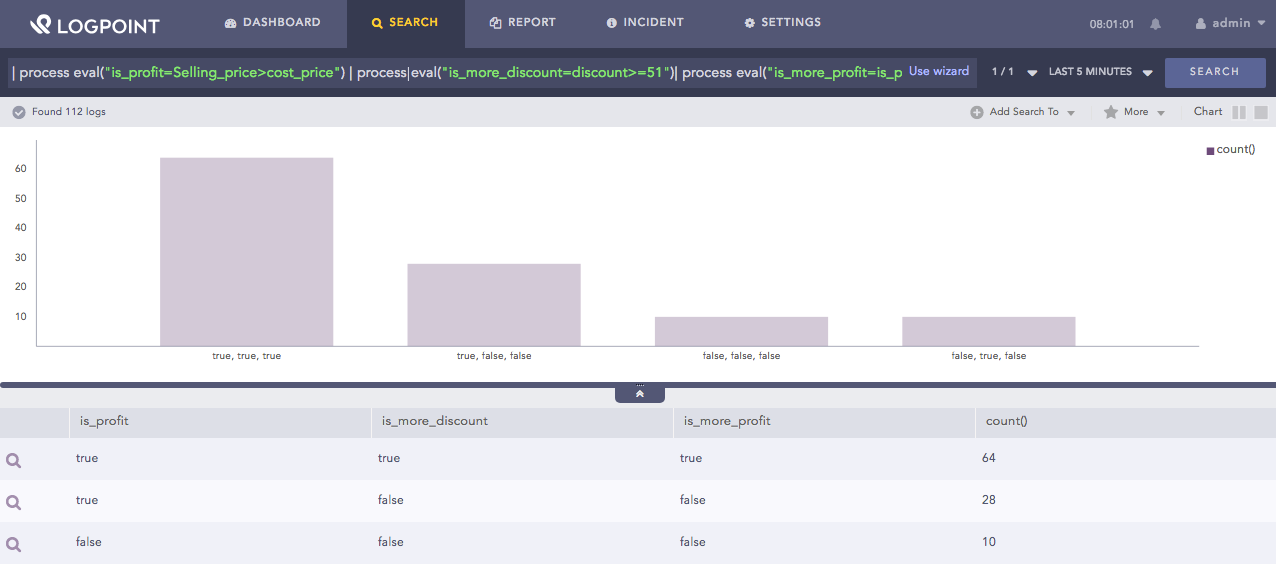
Using AND function
Here, the query first returns either true or false in the is_profit identifier by comparing whether the value of the Selling_price field is greater than the value of the cost_price field. It then returns true or false in the is_more_discount identifier by comparing if the value of the discount field is greater than or equal to 51. Then it compares the values of is_profit and is_more_discount fields. It returns true in the is_more_profit identifier if both the values are true. If it isn’t, it returns false.
The chart count() command displays the count of the combination of is_profit, is_more_discount, and is_more_profit values as a chart and in a tabular form.
Compares two boolean values. It returns true if either value is true. If none of the values are true, it returns false.
Example:
| process eval("is_loss=Selling_price<cost_price")
| process eval("is_profit=Selling_price>cost_price")
| process eval ("is_profitorloss = is_loss || is_profit ")
| chart count() by Selling_price, cost_price, is_loss, is_profit, is_profitorloss
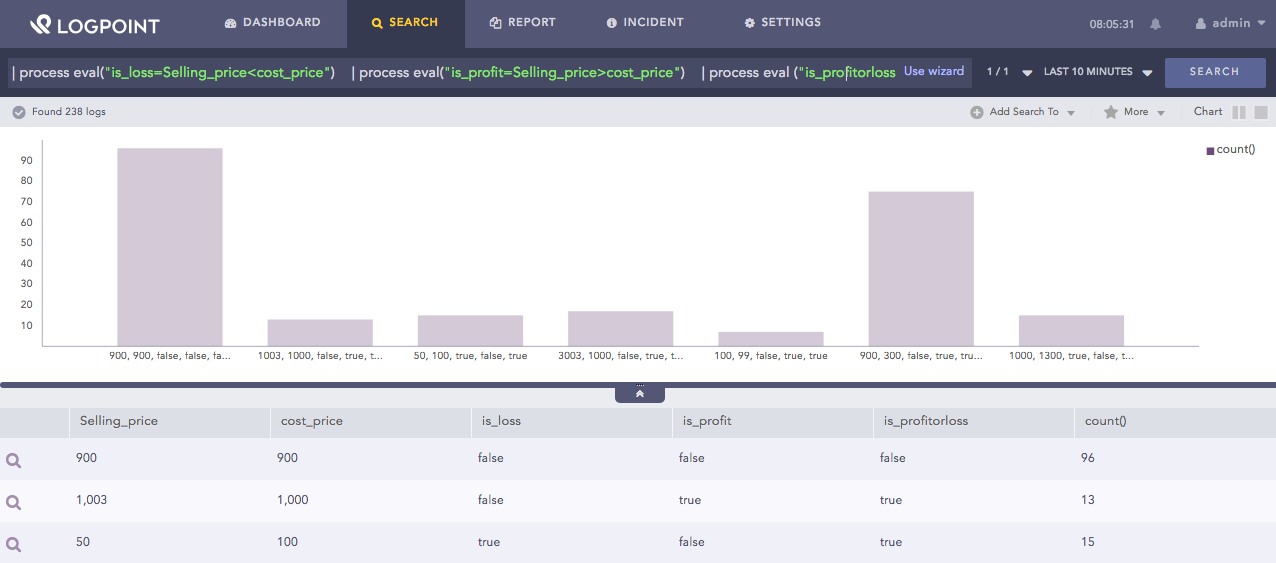
Using OR function
Here, the query first returns true or false in the is_loss identifier by comparing if the value of the Selling_price field is less than the value of the cost_price field. It then returns true or false in the is_profit identifier by comparing if the value of the Selling_price field is greater than the value of the cost_price field. Then, it compares the values of is_loss and is_profit fields. It returns true in the is_profitorloss identifier if either value is true. If it isn’t, it returns false.
The chart count() command displays the count of the combination of Selling_price, cost_price, is_loss, is_profit and is_profitorloss values as a chart and in a tabular form.